Create shift rosters with two clicks
Tell the system your needs, and you'll get a ready-made shift plan in no time. Make the necessary changes easily and quickly.

SHIFT PLANNING
eRoster is Temployer's intelligent workforce planning solution that adapts to your company's needs. Plan on a site-by-site or worker-by-worker basis, take advantage of autofill, manage multiple units simultaneously — and make sure all information stays in real time for all users.
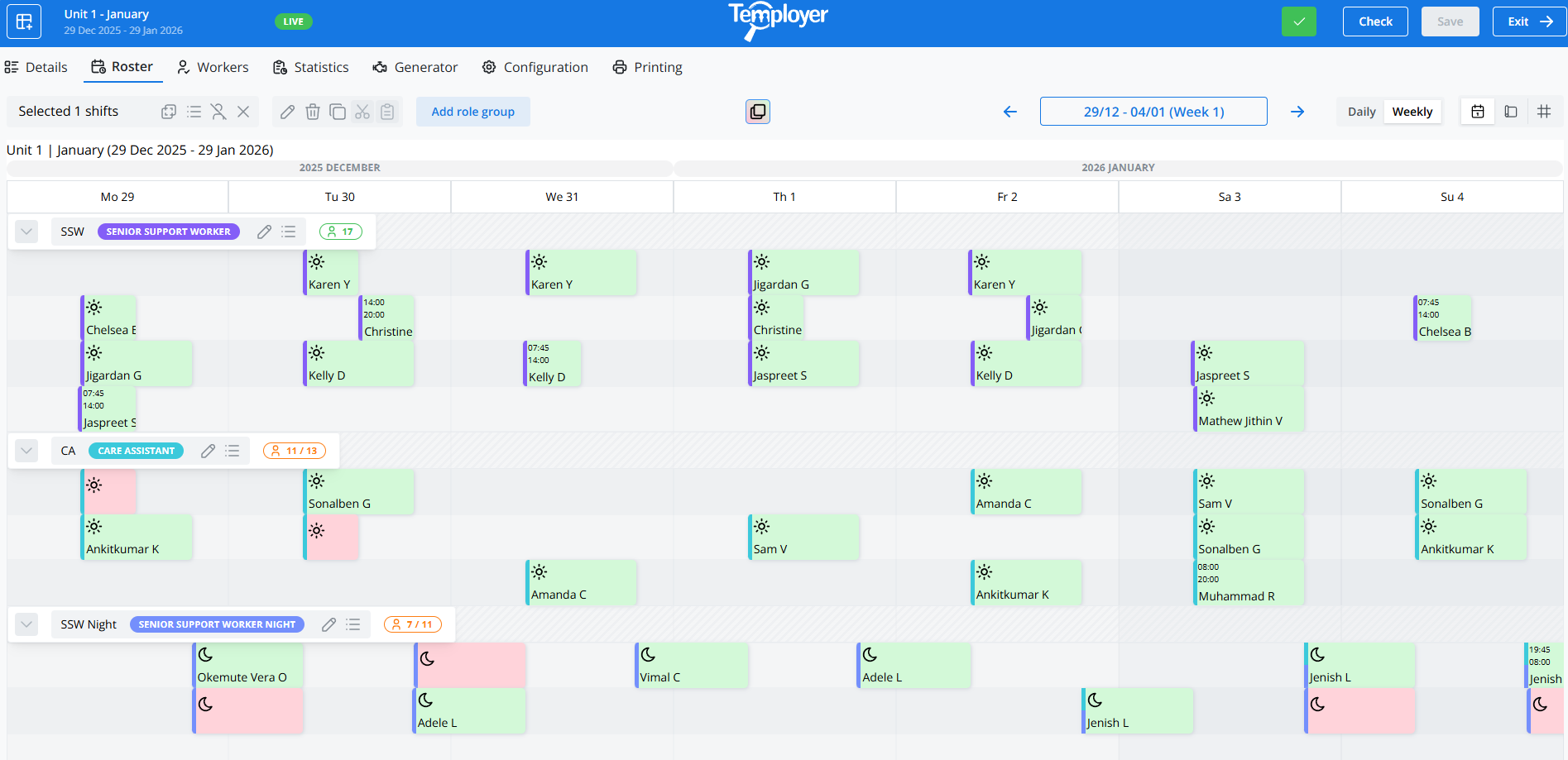
With Temployer eRoster, you can easily manage your shifts on one clear and user-friendly platform. You can filter and manage shifts and plan workers in real time for different locations and departments. The system works independently or fully integrated with the Temployer Core agency management system.
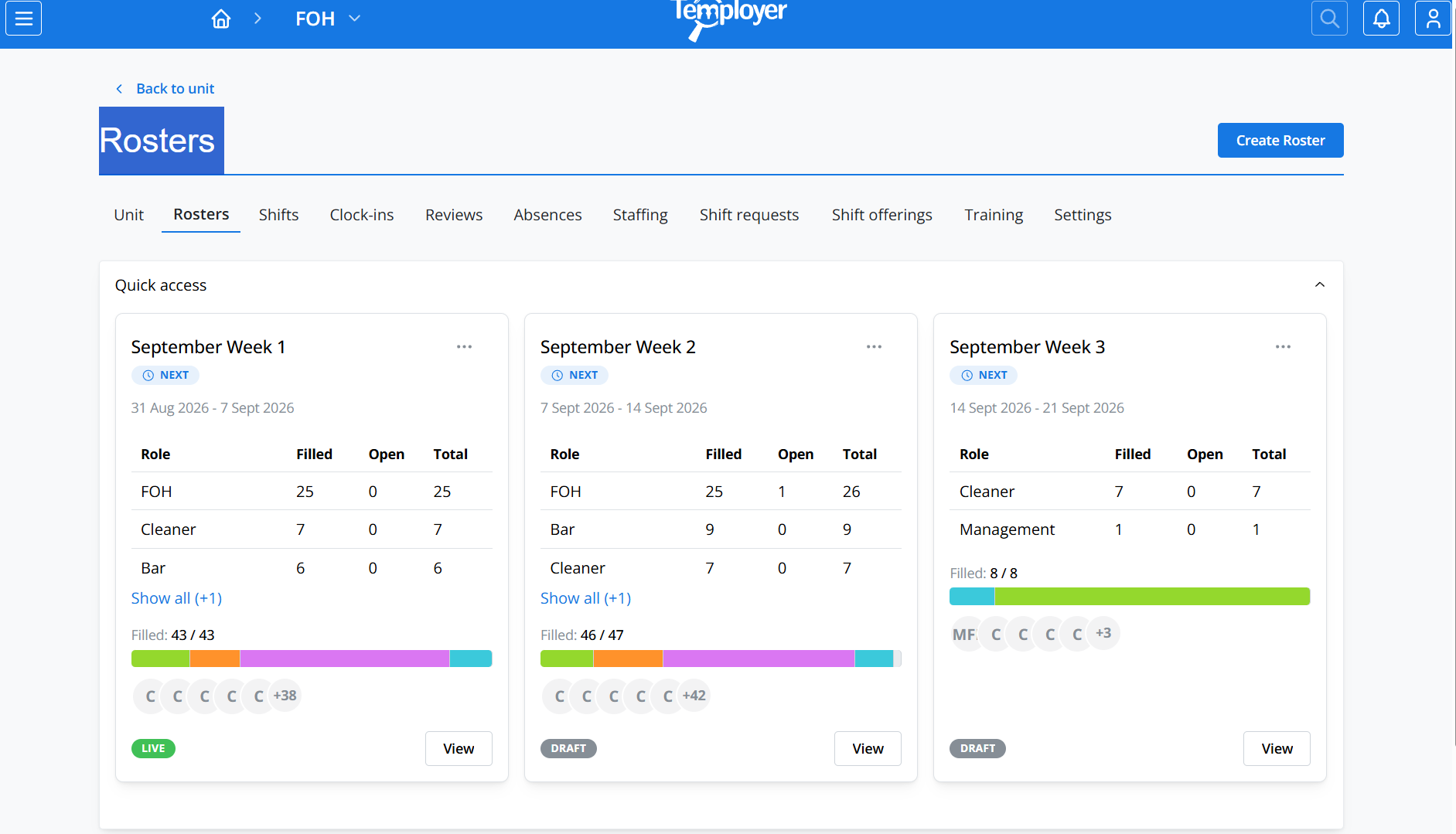
Tell the system your needs, and you'll get a ready-made shift plan in no time. Make the necessary changes easily and quickly.
Also take into account the unit's resource needs in the planning. The resource view ensures that the right resource is in the right place at the right time.
Create and save your own shift templates. The templates can be copied between units and built based on the customer's shift rules.
See at a glance the strength of each site and task per unit of time. Use the data as a basis for planning in weekly, monthly, and multi-week views.
Plan for each location or worker. Shifts can be allocated to several locations for one worker, and the hours are added together, considering all units.
Working time rules and contracts guide the work shifts, prevent overlapping shifts and help to monitor rest times and the number of hours.
Workers can submit shift requests directly in the system. Wishes can be considered in both manual and automatic shift filling.
All changes are immediately visible in both the system and the mobile app — no paper plans, delays, or later postponements.
Delete or edit undone shifts before payroll. The salary data is automatically generated with supplements in accordance with the agreed working time interpretation.
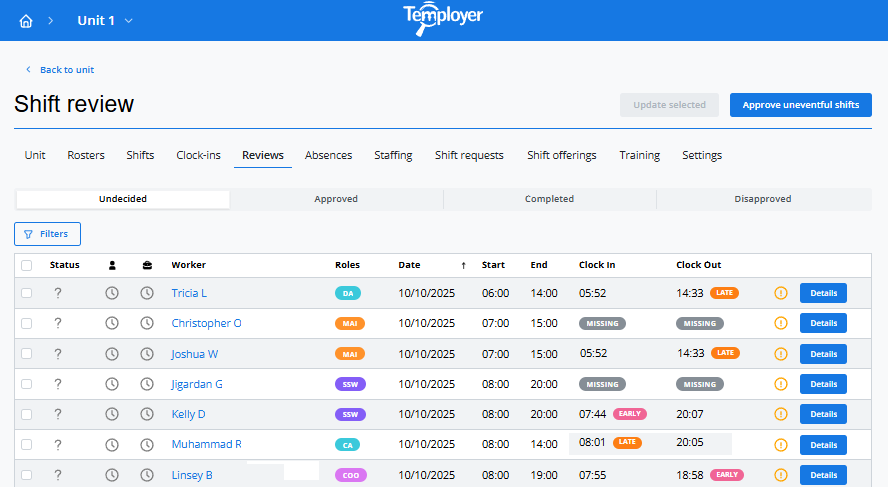
Working time tracking combined with eRoster enables mobile clocking of working hours and brings the actual hours directly to inspection.
Ensure the validity of training, work permits and certificates. The system can notify you of outdated information and prevent booking if the worker does not have the right qualifications.
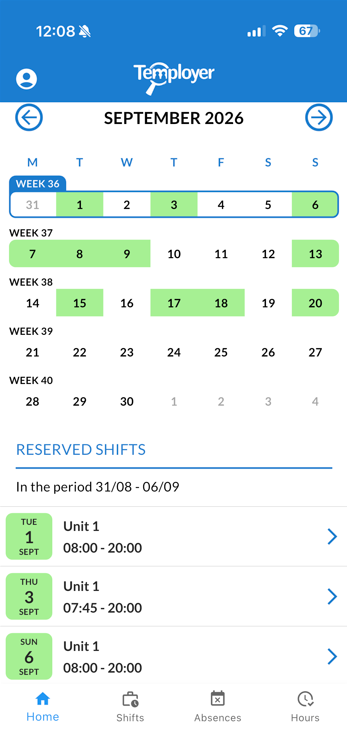
Through the application, workers can see their up-to-date shift roster anywhere and at any time.
Easy, accurate and reliable time tracking — verified by geolocation.
Shift swapping can be done in the app and confirmed by the manager with automatic rule checks.
The worker can submit shift requests in advance, and the system takes them into account in the planning.
Leave and absence requests can be handled in one place through administrative approval.
Workers can pick up additional shifts from their own unit or, if necessary, also from neighbouring units.
eRoster works in real time together with the Temployer Core system. Open shifts can be published for your own flexible workers and further to agencies in the order chosen. This way, the entire process of filling a shift is handled in one system.
Learn more about the Temployer Core system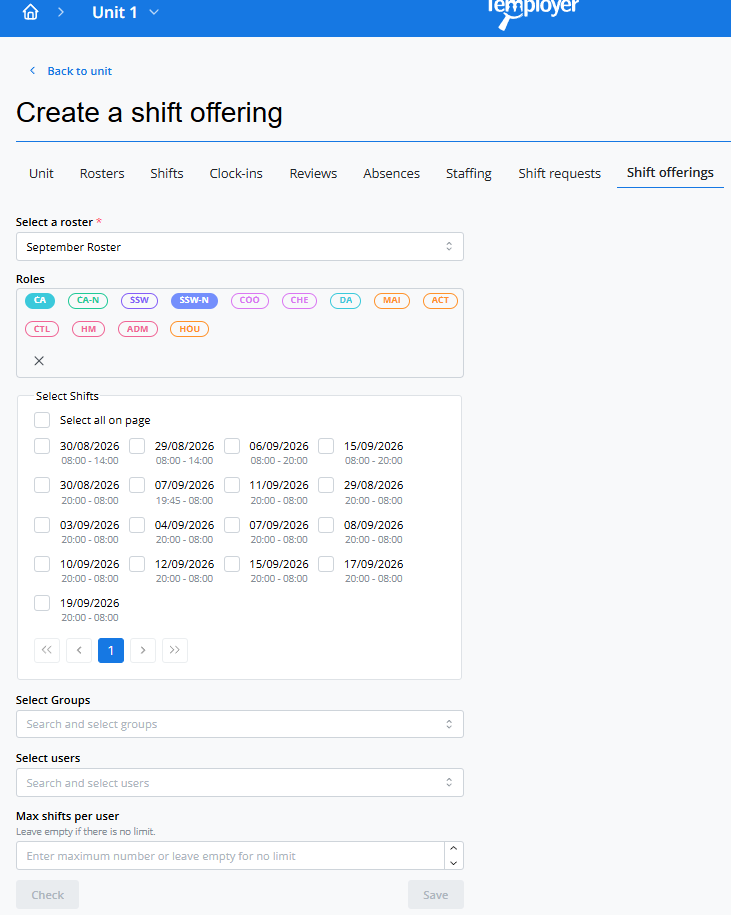
TIME TRACKING
Geofenced power clocking-in and out makes it simple to track working hours, check hours and generate payroll data.
Temployer’s working time tracking solution allows workers to punch in their working hours on a mobile device, backed up with location data. You can see actual hours, check deviations, and enter approved hours into payroll data — without any additional manual work.
PRICING
eRoster's pricing is clear and transparent with no hidden fees – you only pay monthly based on the number of active users.
Temployer
£4 / month / user
In addition to the continuous monthly fee, a customer-specific start-up fee is charged for the launch of the service.
The exact content, implementation and integrations are always defined according to the customer's needs.
Contact Ben via email and let's see together how eRoster could streamline your organisation's workforce planning.